Case Study 03 // DevHub

Turning Fragmentation into Focus

At VMware, developers built the product, but their own day-to-day was scattered. Too many tools, too little clarity, and no single place to start.

I led the design of DevHub, one place for 20,000+ VMware engineers to find their tools, services, and resources, based on their role. It cut onboarding from 3 weeks to under 5 days.
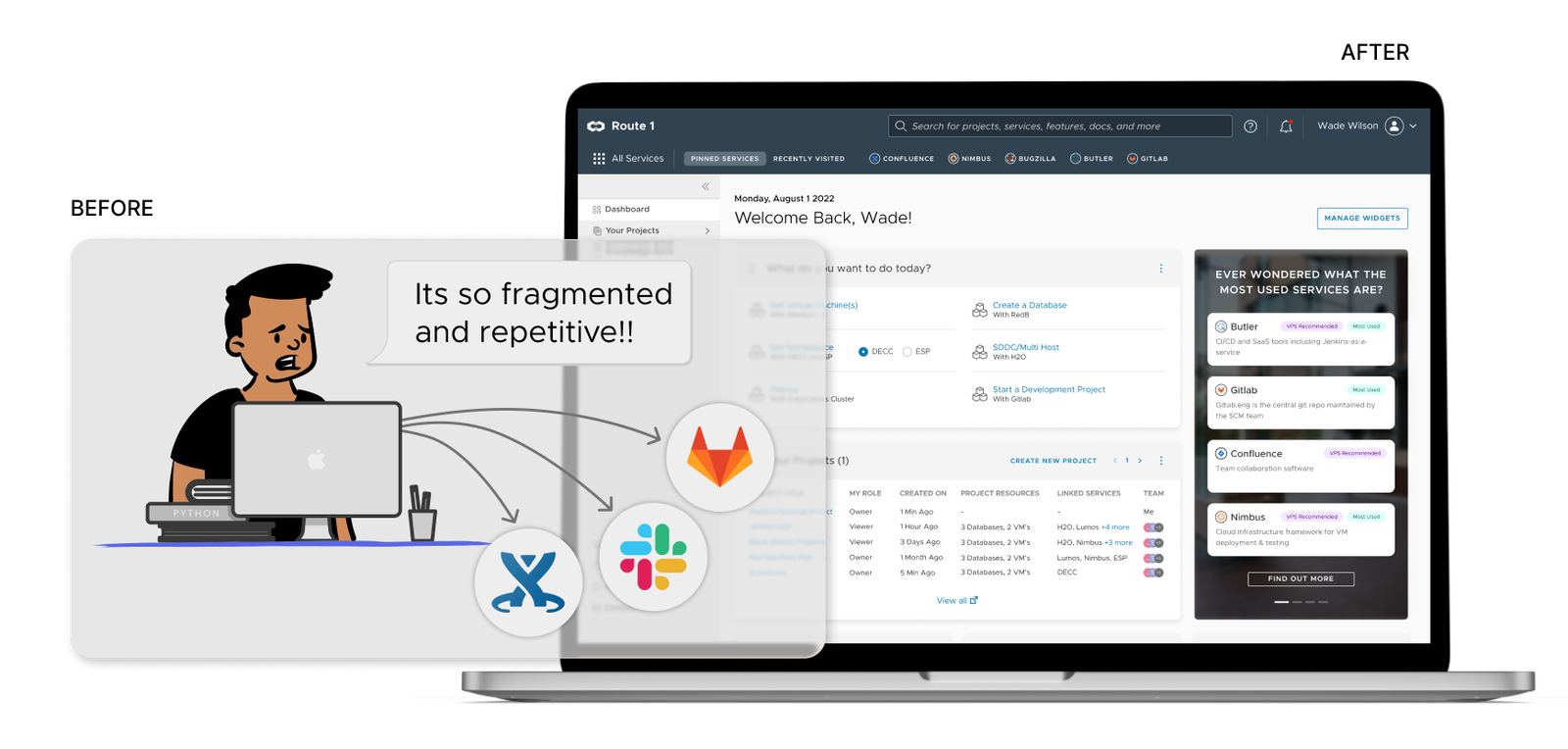
DevHub Before and After Transformation: from fractured tools to unified command center
Before and after: 20+ disconnected developer tools brought into one role-aware portal.
role

Lead Designer

User research, IA, UI/UX, design system, and prototyping.

team & scale

Core Squad & Scale

3 Designers (including me), 8 Developers, 1 PM, for 20,000+ engineers.

outcome

80% Faster Onboarding

Onboarding went from 3 weeks to under 5 days. Tool usage up 40%. Duplicate services down 25%.
context

Scattered tools, low visibility, and duplicate work

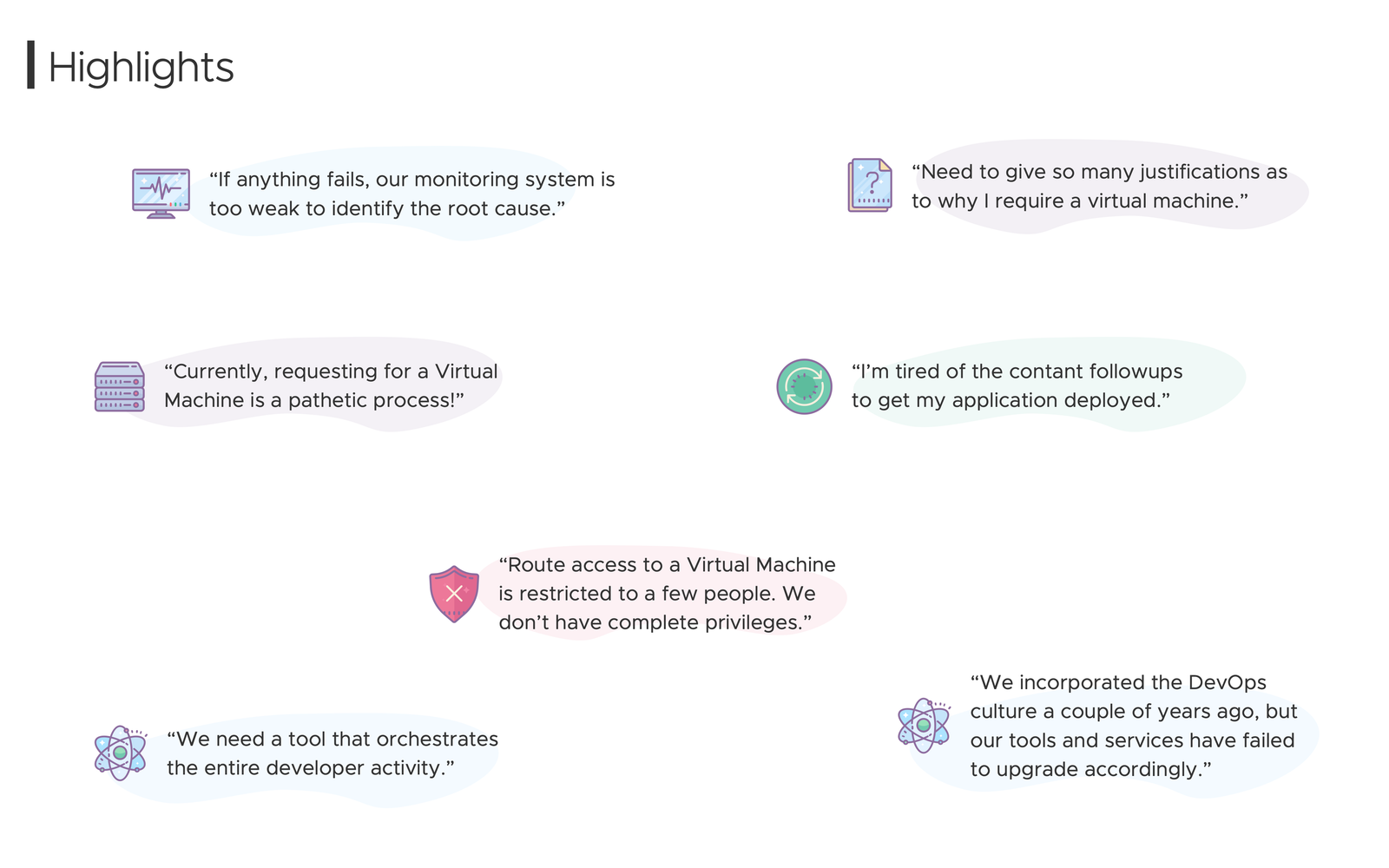
After years of fast growth, VMware's internal tools were split across departments. Engineers lost hours every week looking for docs, asking on Slack which tools were approved, and reading outdated wikis.

Without a central catalog, teams often rebuilt tools that already existed somewhere else, and then had to maintain them.

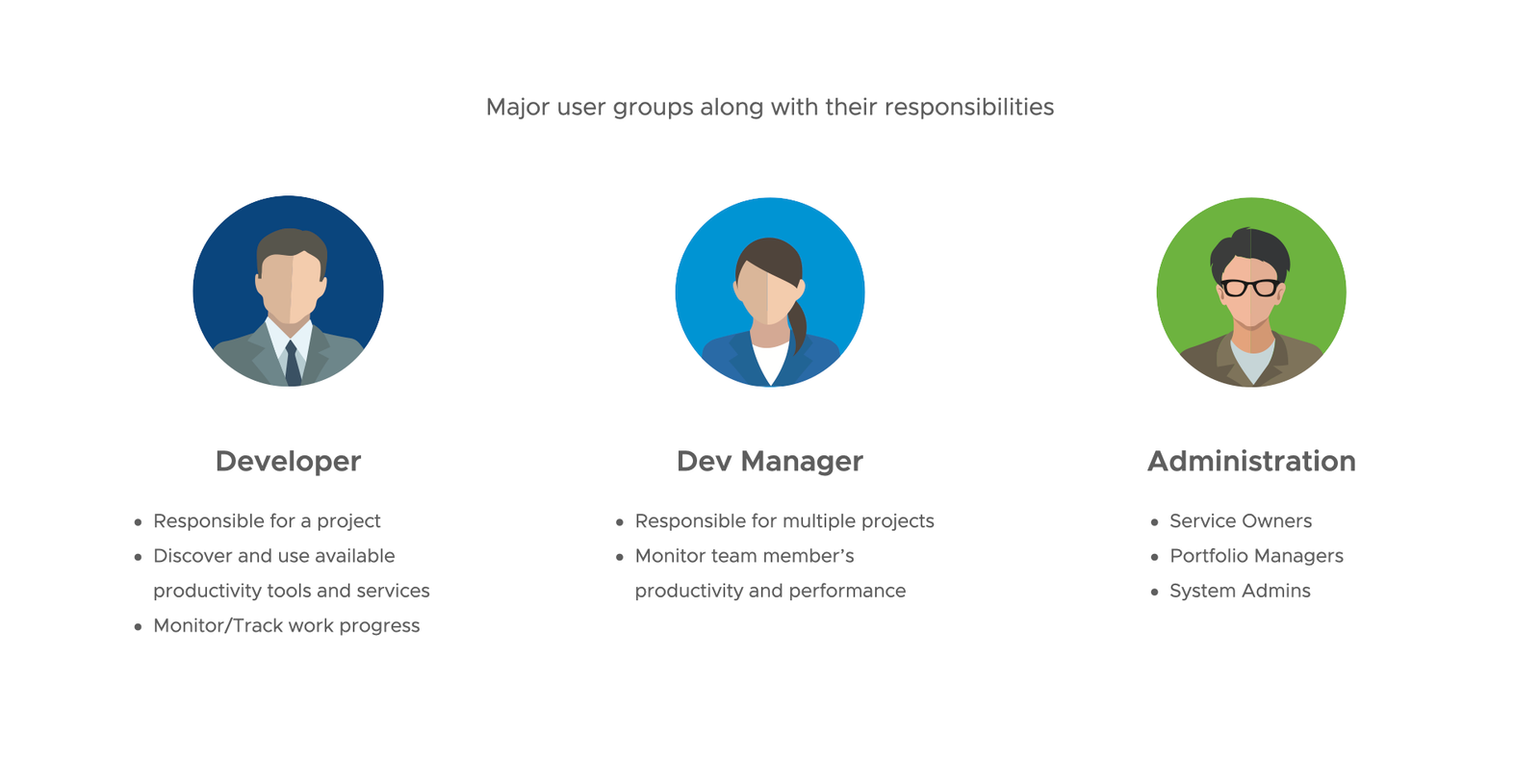
DEVELOPERS

Finding vs. Coding

Spent more time on tribal knowledge and 80-page onboarding docs than on code.

MANAGERS

Blind Spots

Couldn't see tool adoption or how onboarding was going without chasing people.

SERVICE OWNERS

Duplication

Internal APIs and tools kept getting rebuilt because there was no way to find them across orgs.

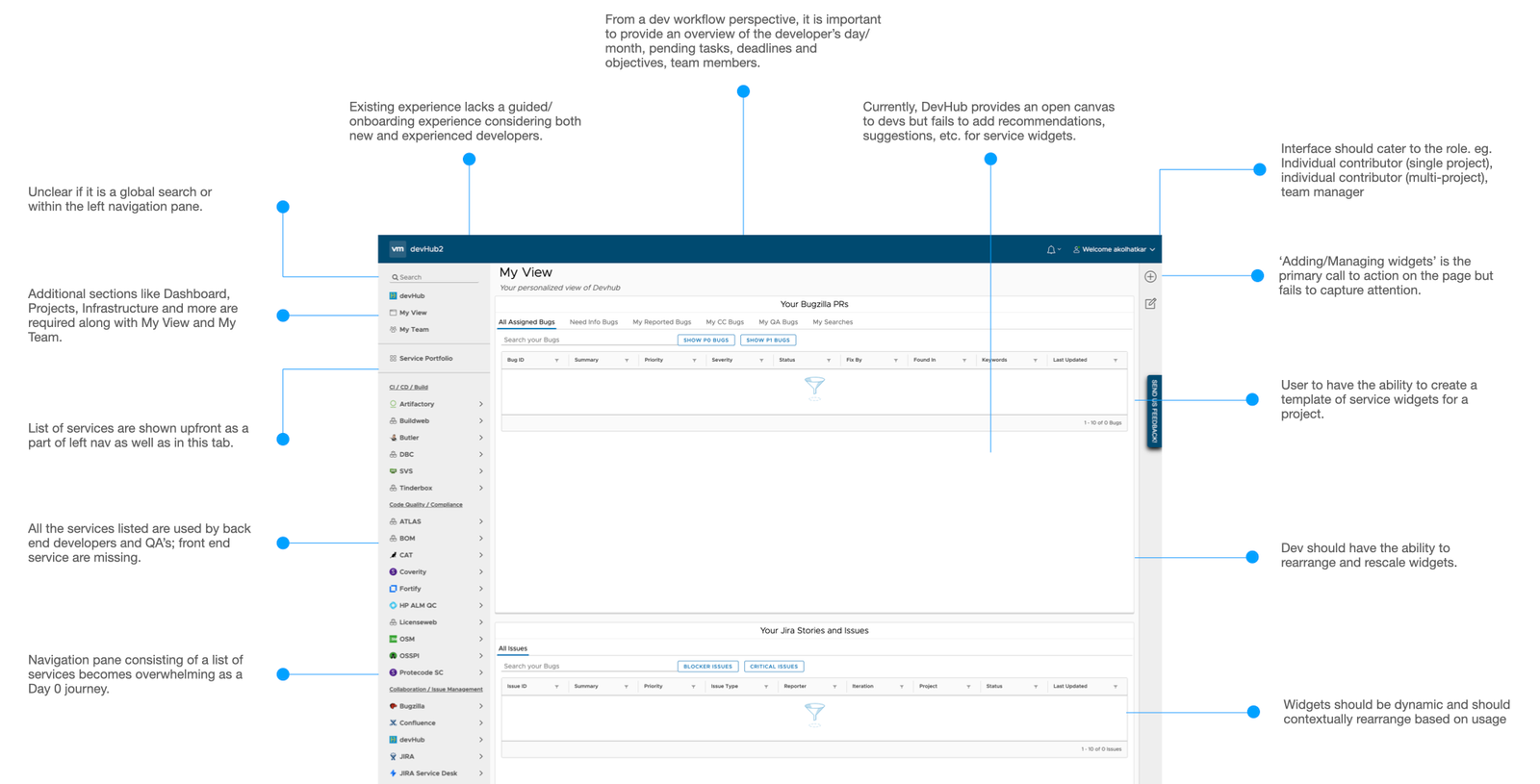
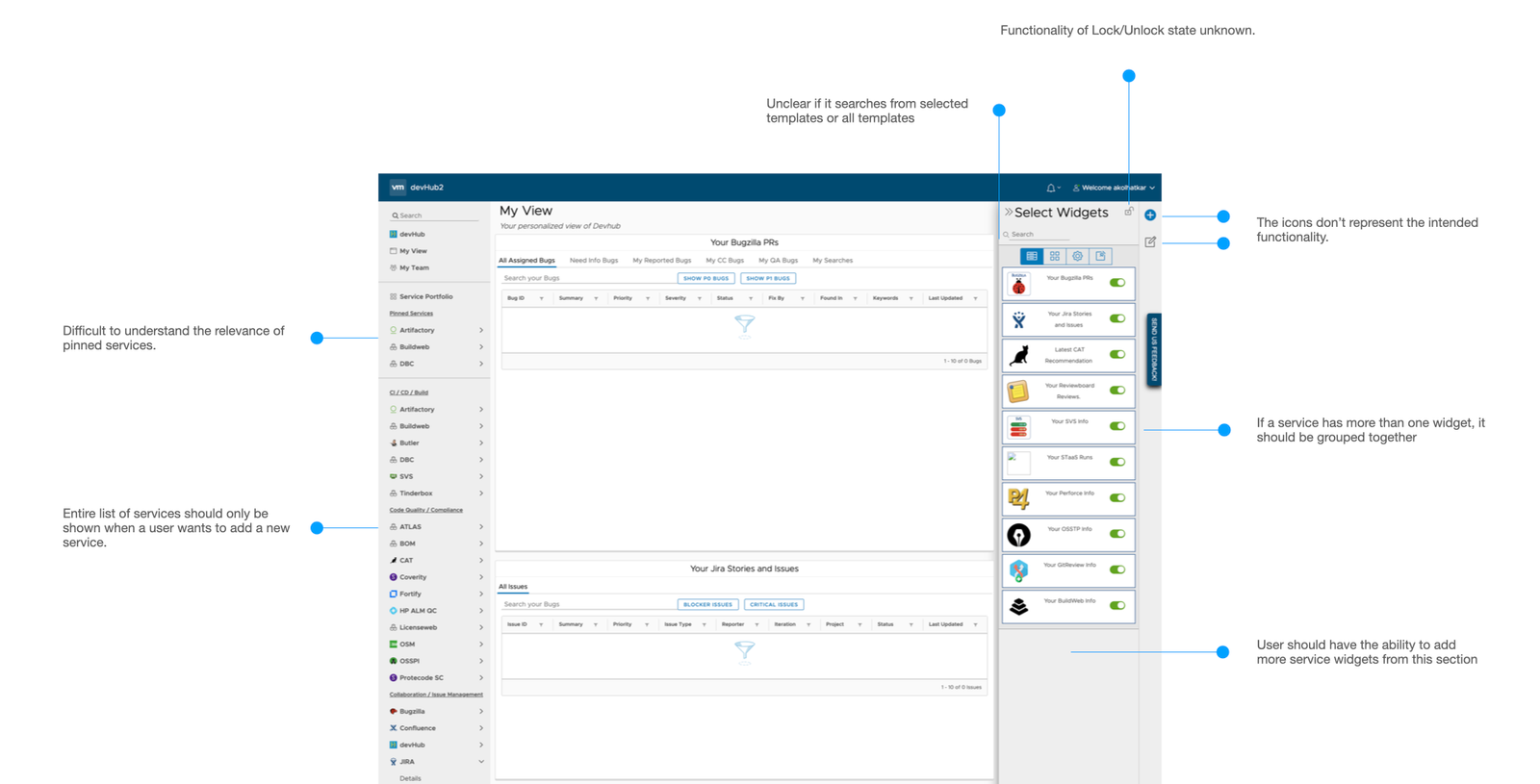
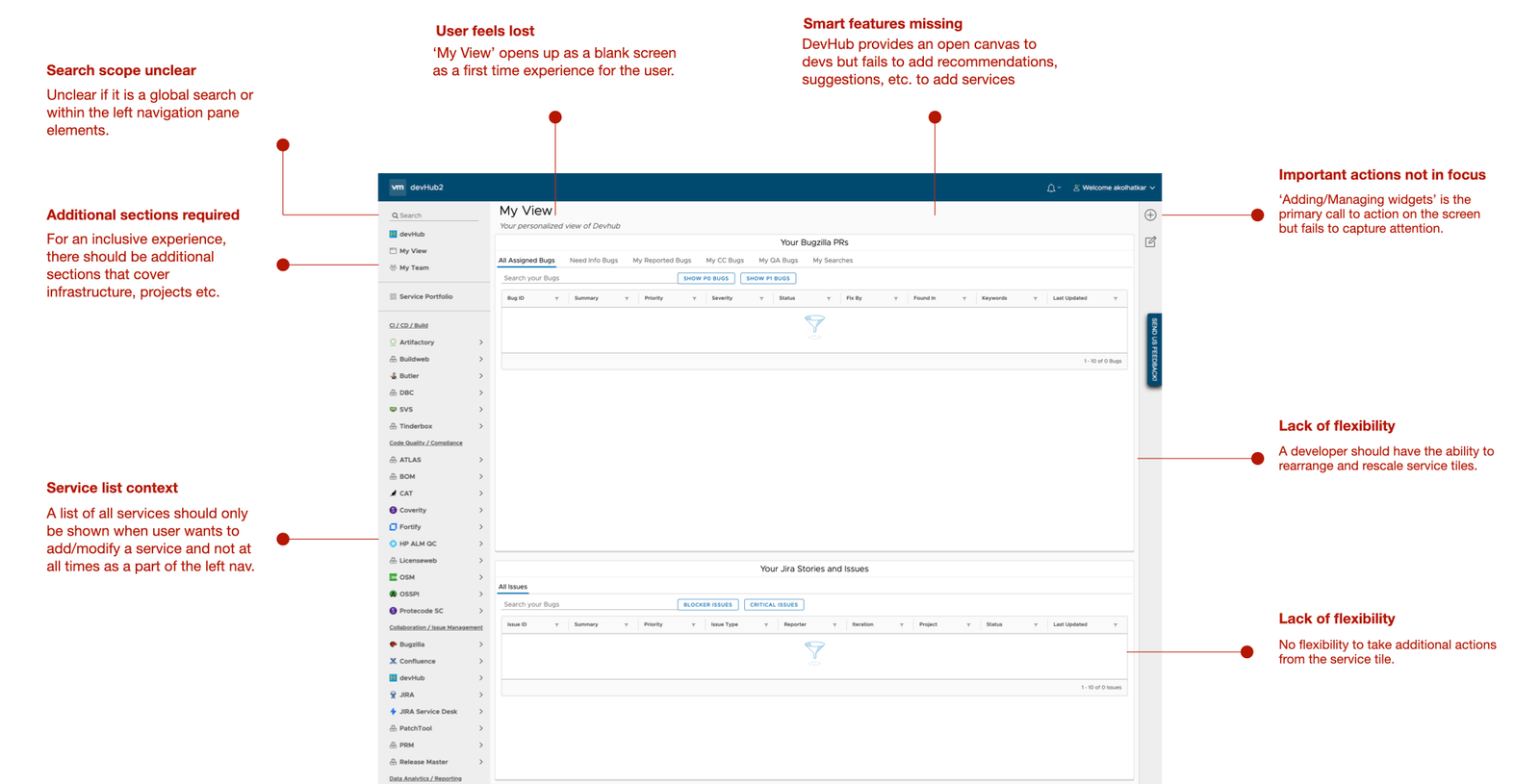
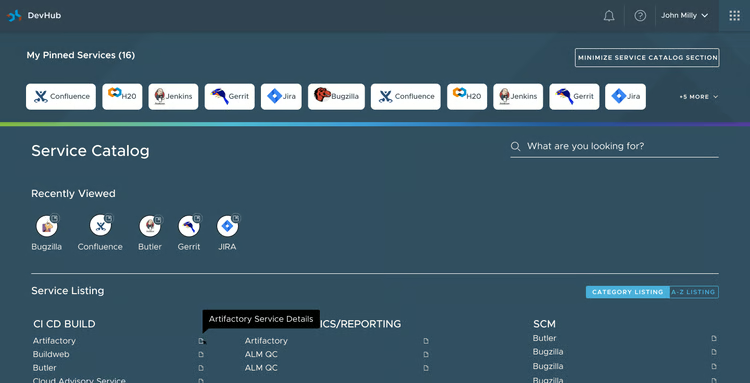
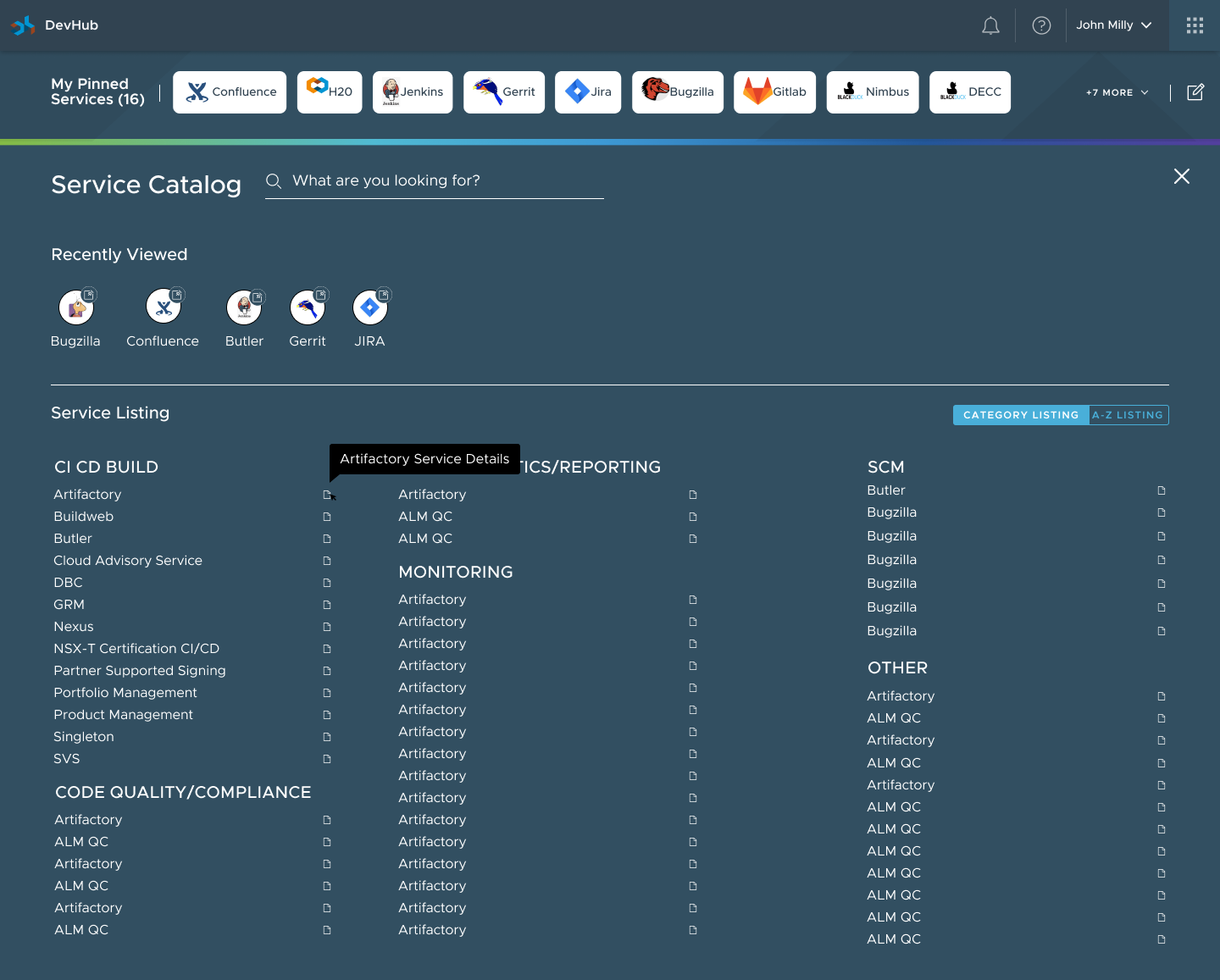
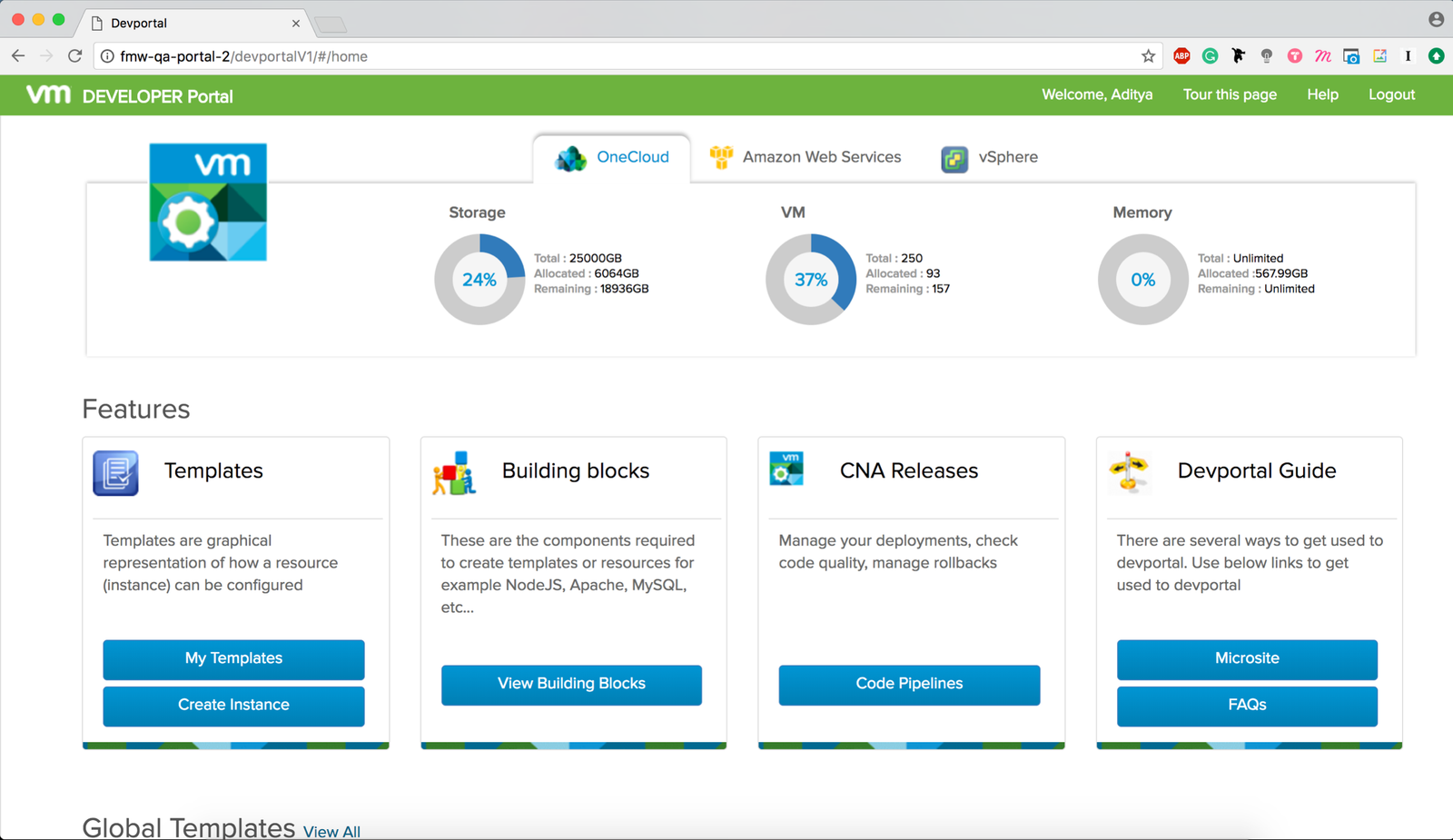
Legacy developer portal before DevHub
Before: link dumps and separate utility pages.
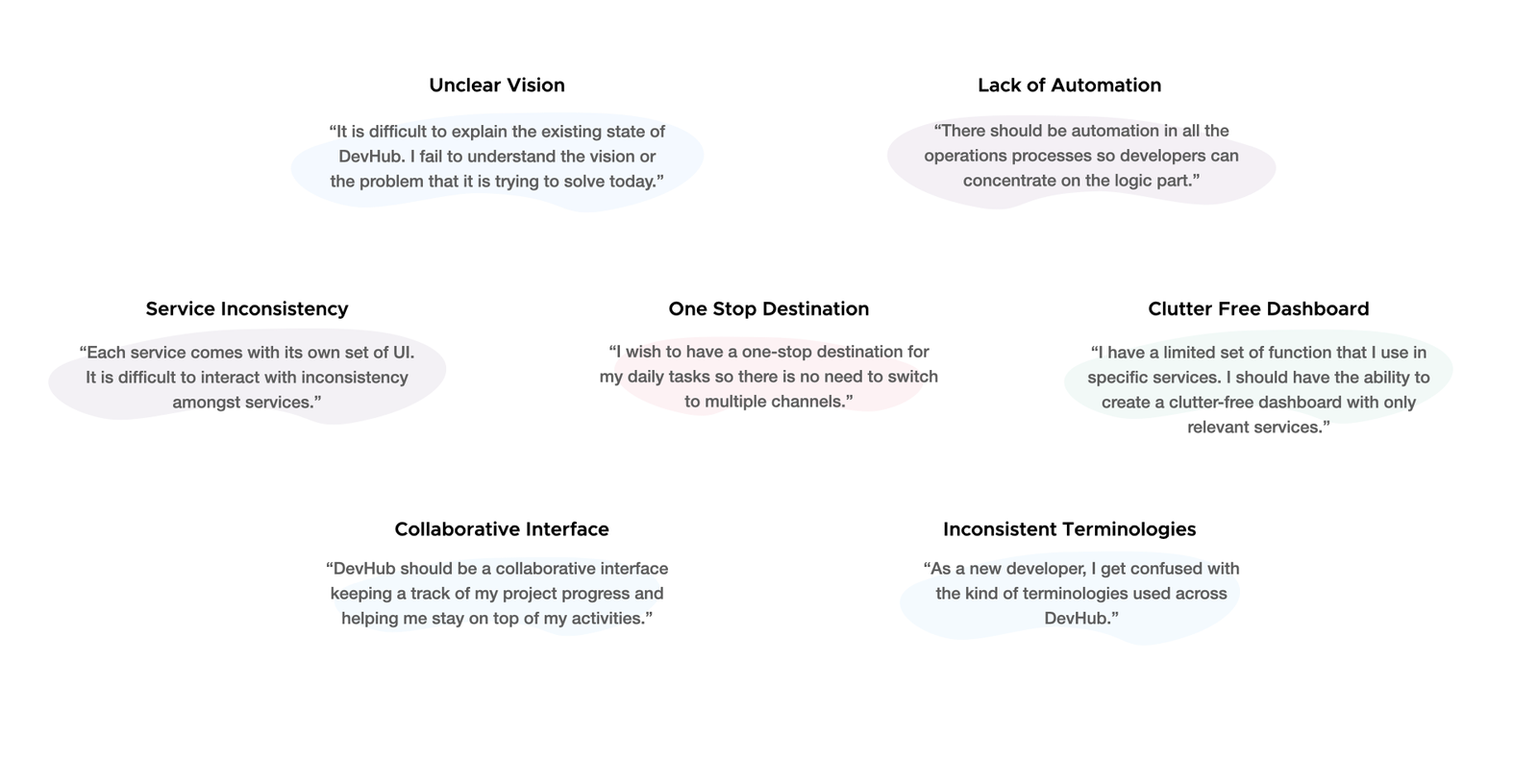
Developer pain point taxonomy and friction synthesis
Pain points: too much to hold in your head, hard to find things, knowledge in pieces.
Routine tasks depended on Slack threads and personal bookmarks.
research

Interviews and a heuristic audit

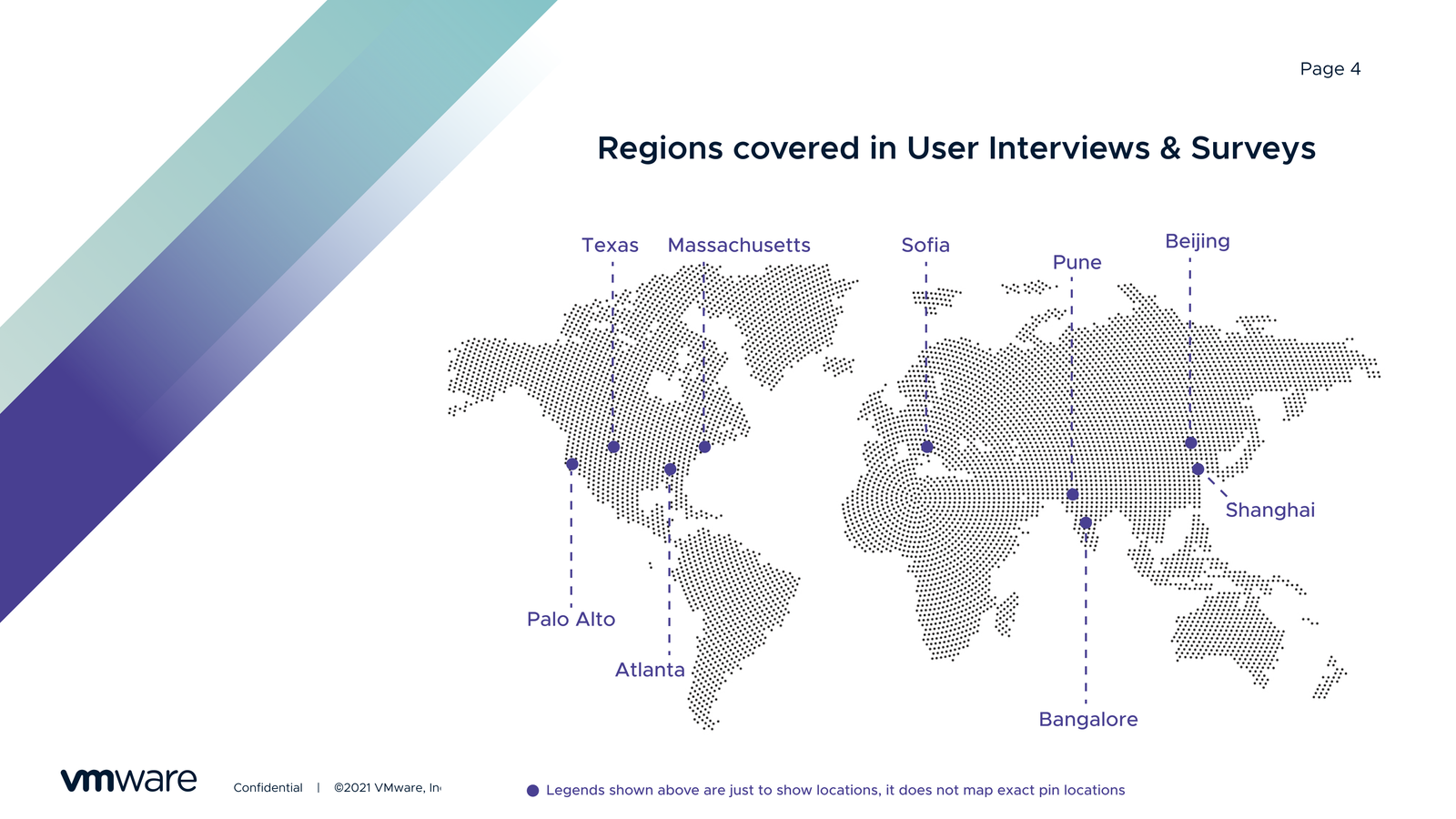
I started with 12+ interviews with engineers, architects, and managers across business units. At the same time, I ran a heuristic audit of the existing internal portals.

"I spend more time looking for things than building things."

— MTS Developer, Cloud Infrastructure Team
Heuristic audit on navigation clarity and mental models
Audit 01. Navigation — Different in every tool.
Heuristic audit on cognitive friction and search
Audit 02. Search — No shared search across tools.
Heuristic audit on visual hierarchy and action triggers
Audit 03. Clutter — Common actions were hard to spot.
The biggest issues: recognition over recall, consistency, and error prevention.
Developer personas: junior, senior, and lead workflows
Personas, from new hires to senior architects and tech leads.
Synthesized research findings and interview insights
Synthesis: hours lost each day to broken docs and finding tools.
New hires and veteran developers needed very different things.
strategy

Building it with the team, two sprints ahead

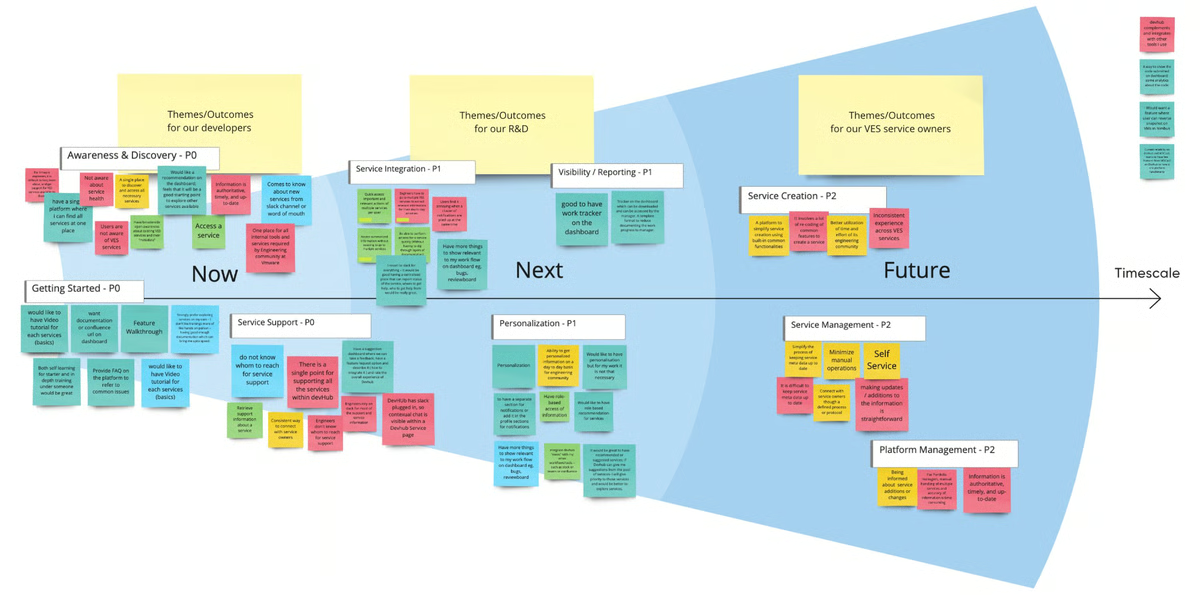
I ran workshops with engineering and product that gave us a shared Experience Canvas and an Ecosystem Map. We built the backlog together, which kept design two sprints ahead of engineering.

The key decision was to organize DevHub around what a developer is trying to do, not around the org chart:

INTENT 01

"Start a Project"

Toolchains, Git repos, and CI/CD pipelines set up in one click.

INTENT 02

"Find a Service"

A service catalog with health, owners, and docs.

INTENT 03

"Adopt Best Practices"

Tool recommendations by role, golden paths, and compliance checklists.

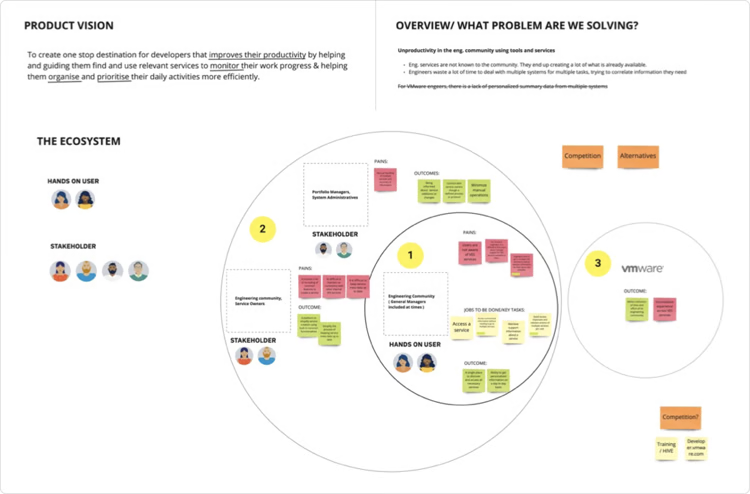
DevHub developer ecosystem map connecting roles, tools, and services
Ecosystem map: how personas, internal services, and cloud infrastructure connect.
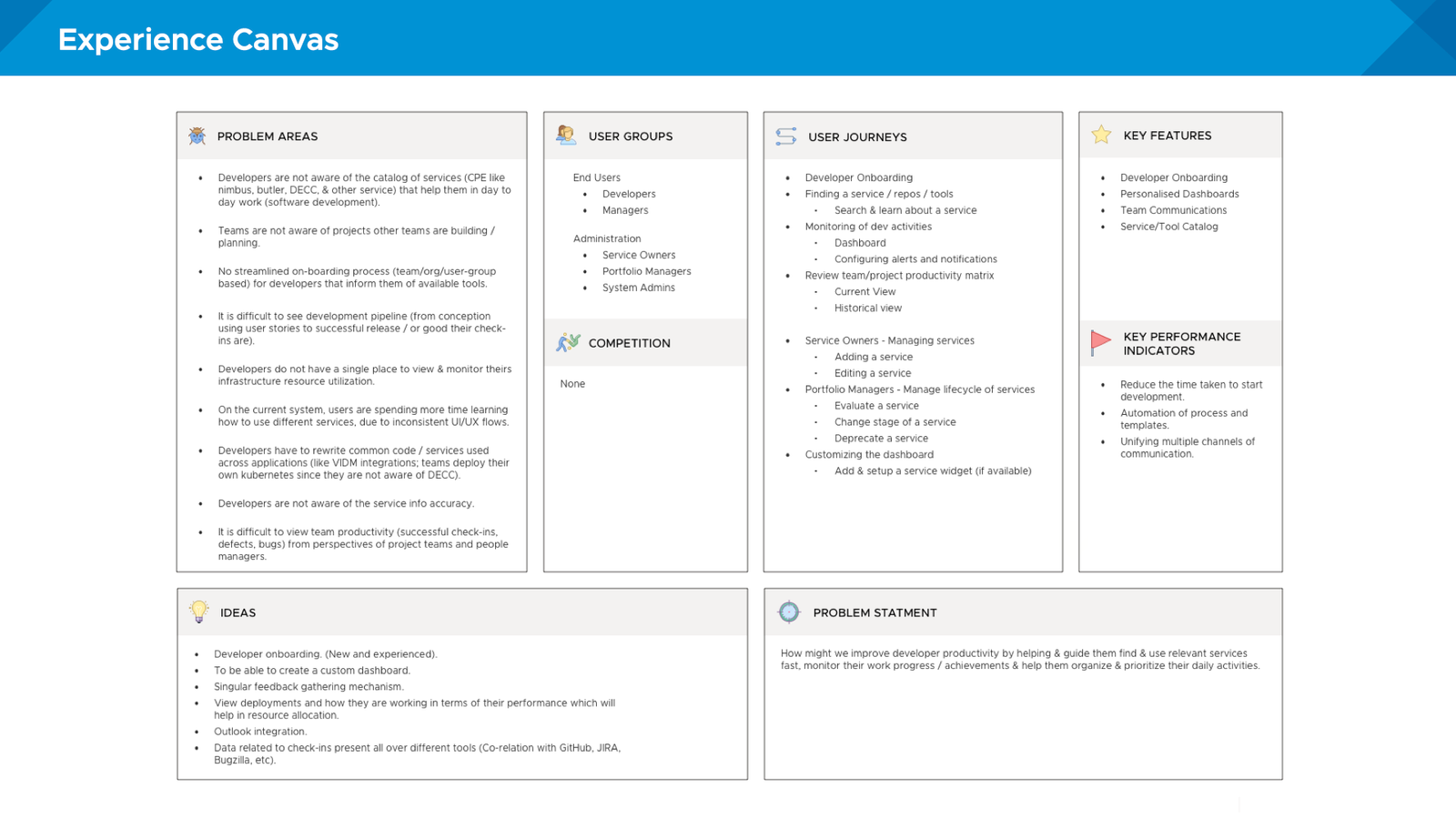
Experience canvas created during stakeholder alignment
Experience Canvas: user goals, success metrics, and constraints.
Prioritized product backlog and engineering release roadmap
Roadmap: a phased rollout, with design two sprints ahead.
iteration

Sketching with developers

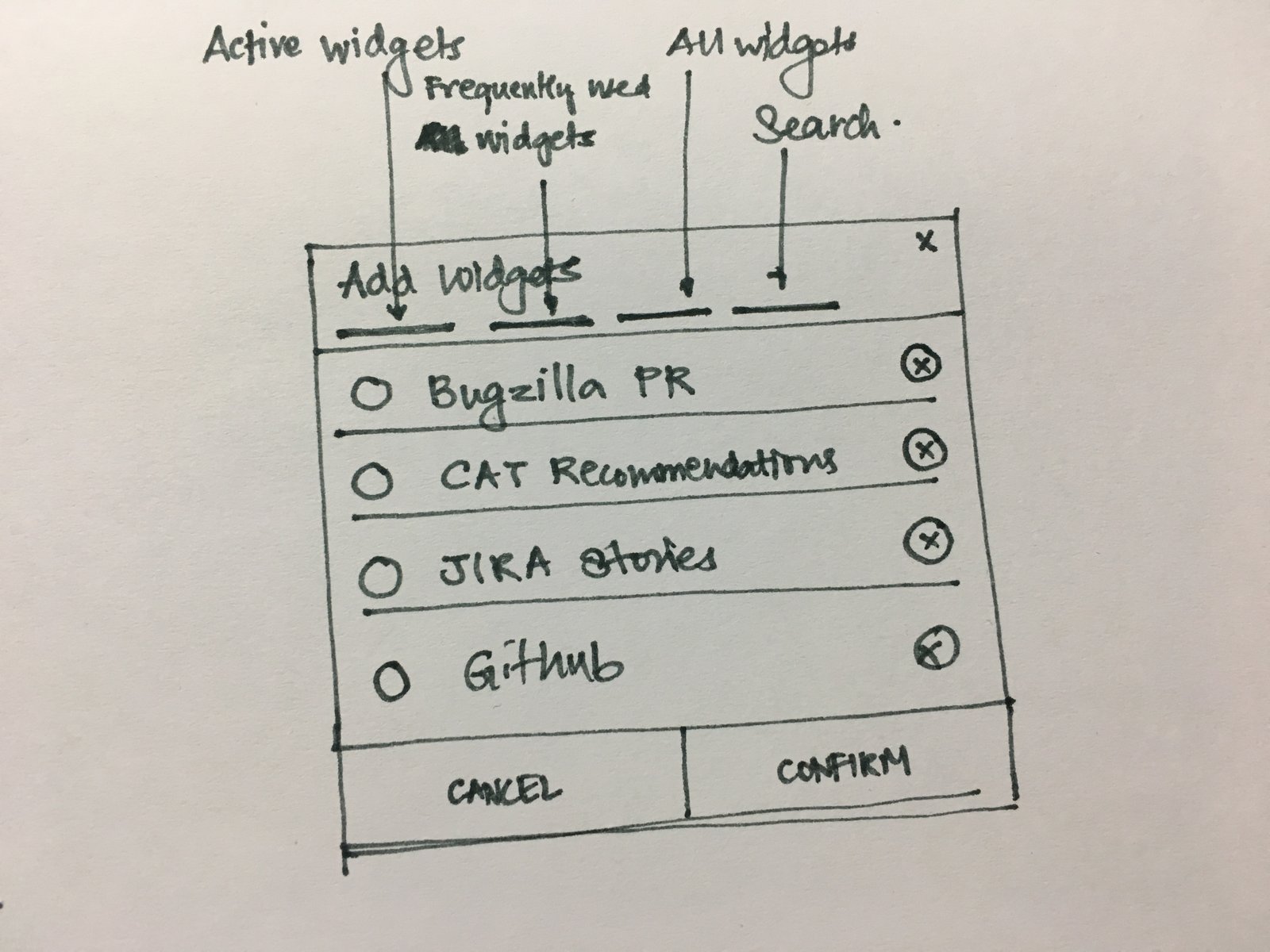
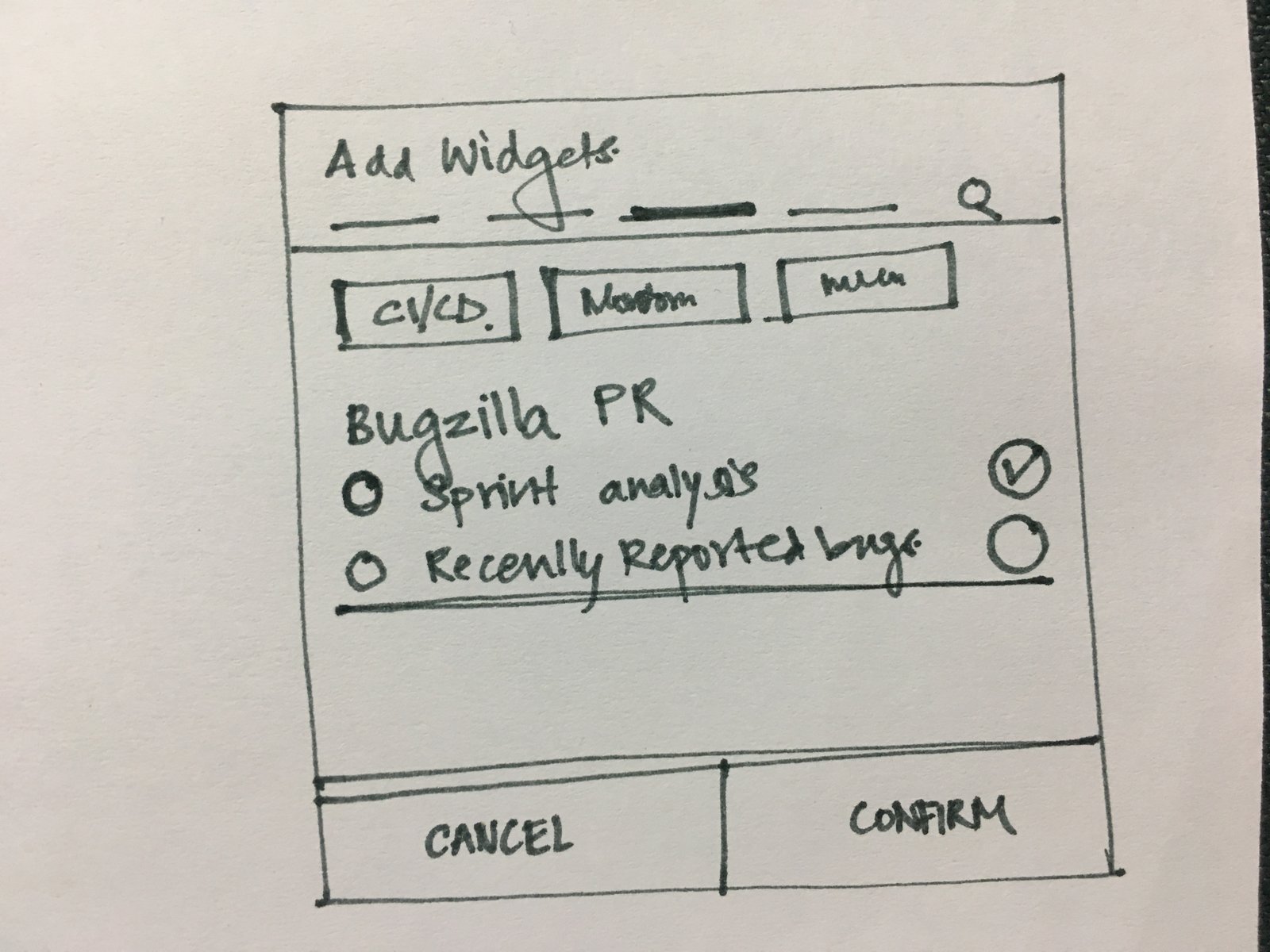
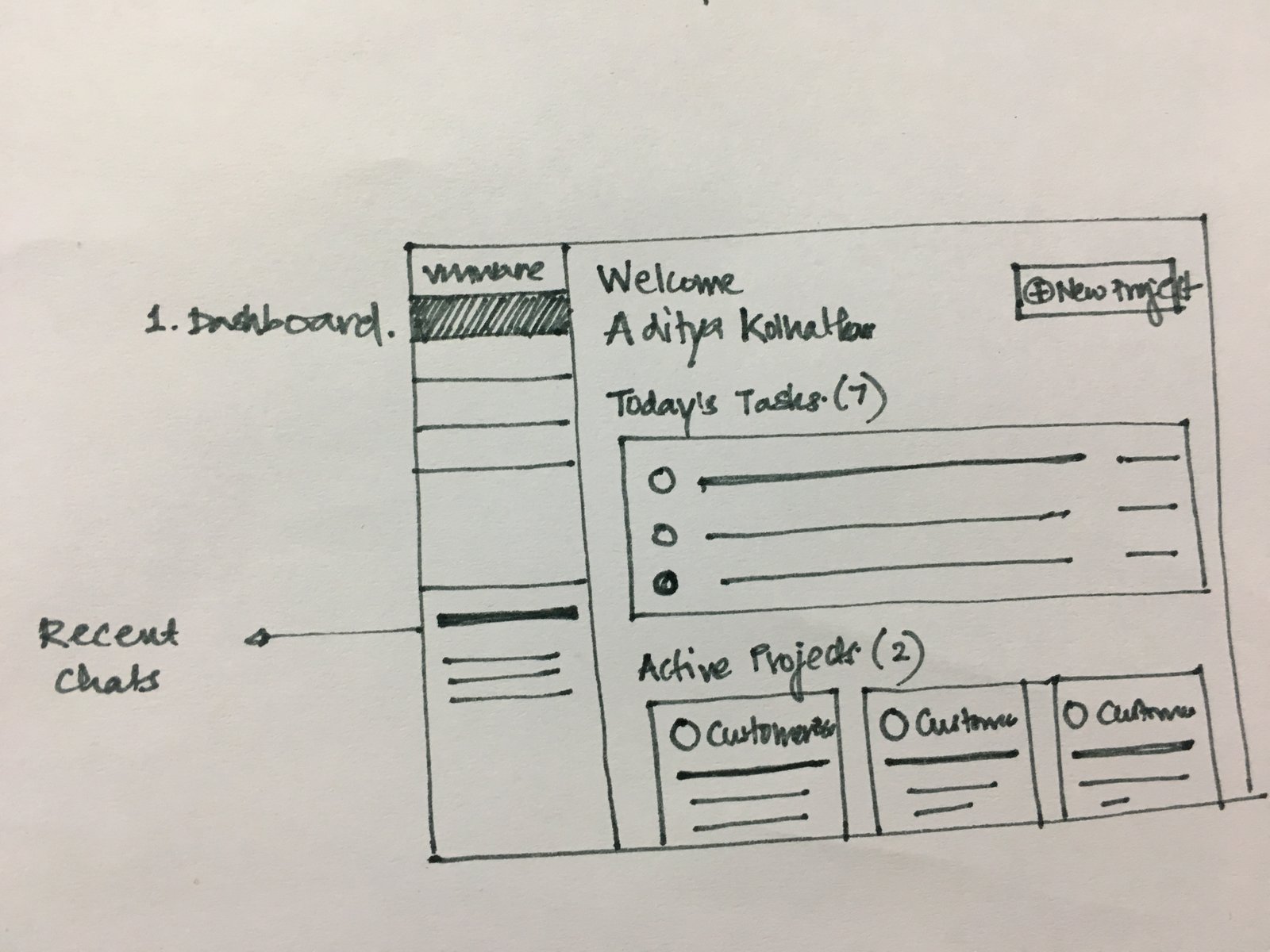
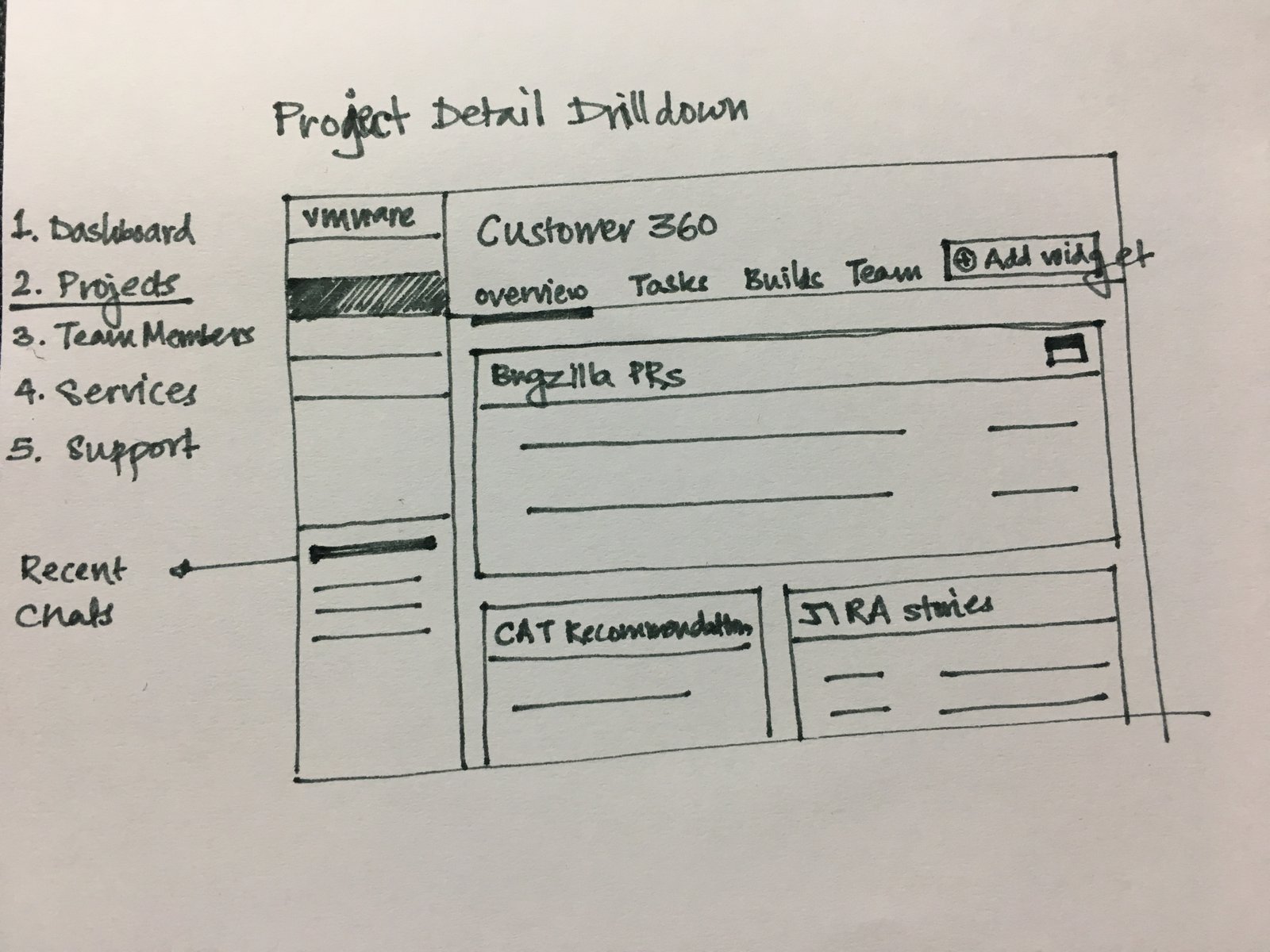
I didn't want us to get attached to polished screens too early, so I ran paper sketching sessions with developers. We explored dashboard widgets, quick-action drawers, and project drill-downs.

Paper sketch: configuring modular widgets
01. Widget Configuration — Customizable cards.
Paper sketch: widget catalog selection
02. Widget Discovery — How developers find and pin new widgets.
Paper sketch: responsive dashboard grid layout
03. Dashboard Layout — Testing column densities.
Paper sketch: project detail drilldown
04. Project Deep Dive — From overview down to a single repo.
Paper let us test ideas with engineers in the same session.
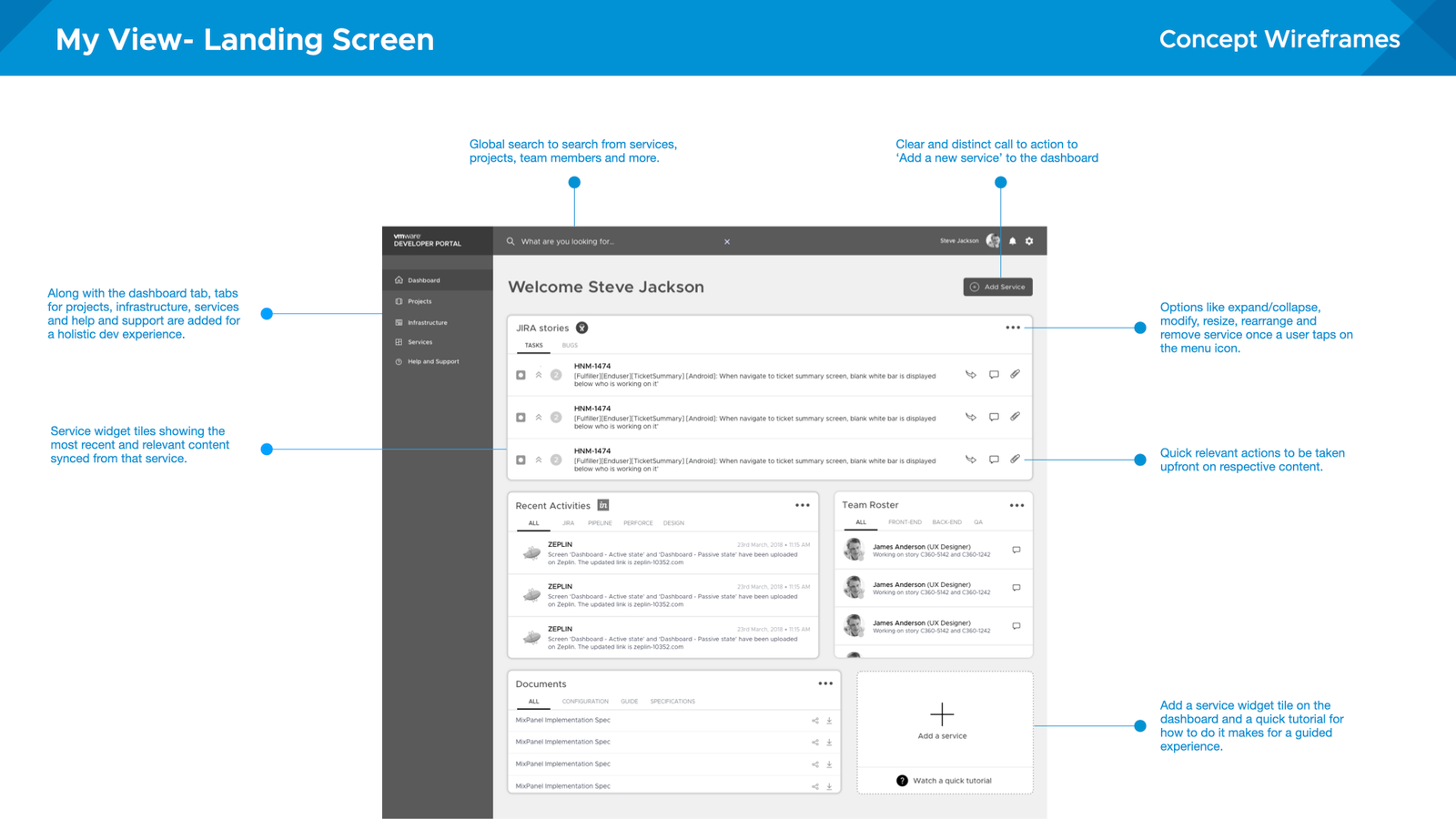
Low-fidelity wireframe testing of command center layout
Low-fi wireframes to check the hierarchy of the widgets.
Usability testing observations and task completion logging
Usability testing: timing tasks across prototype rounds.
What testing changed

Presets beat a blank canvas

We explored a fully configurable dashboard. In testing, engineers strongly preferred starting from a preset for their role over a blank canvas. So role-based presets became the default, and widgets became a way to adjust it.

design

The developer command center

The final design came down to four capabilities:

ROLE

Role-Based Presets

Shows the builds, PR reviews, and tools that matter for your team and domain.

SPEED

1-Click Quick Actions

Start a cloud sandbox, create a repo, or set up a pipeline in one click.

ONBOARDING

Toolchain Bundles

Ready-made stacks that get new engineers to their first production commit within days.

CUSTOMIZATION

Modular Widgets

Pin, rearrange, and configure widgets for the projects you're on.

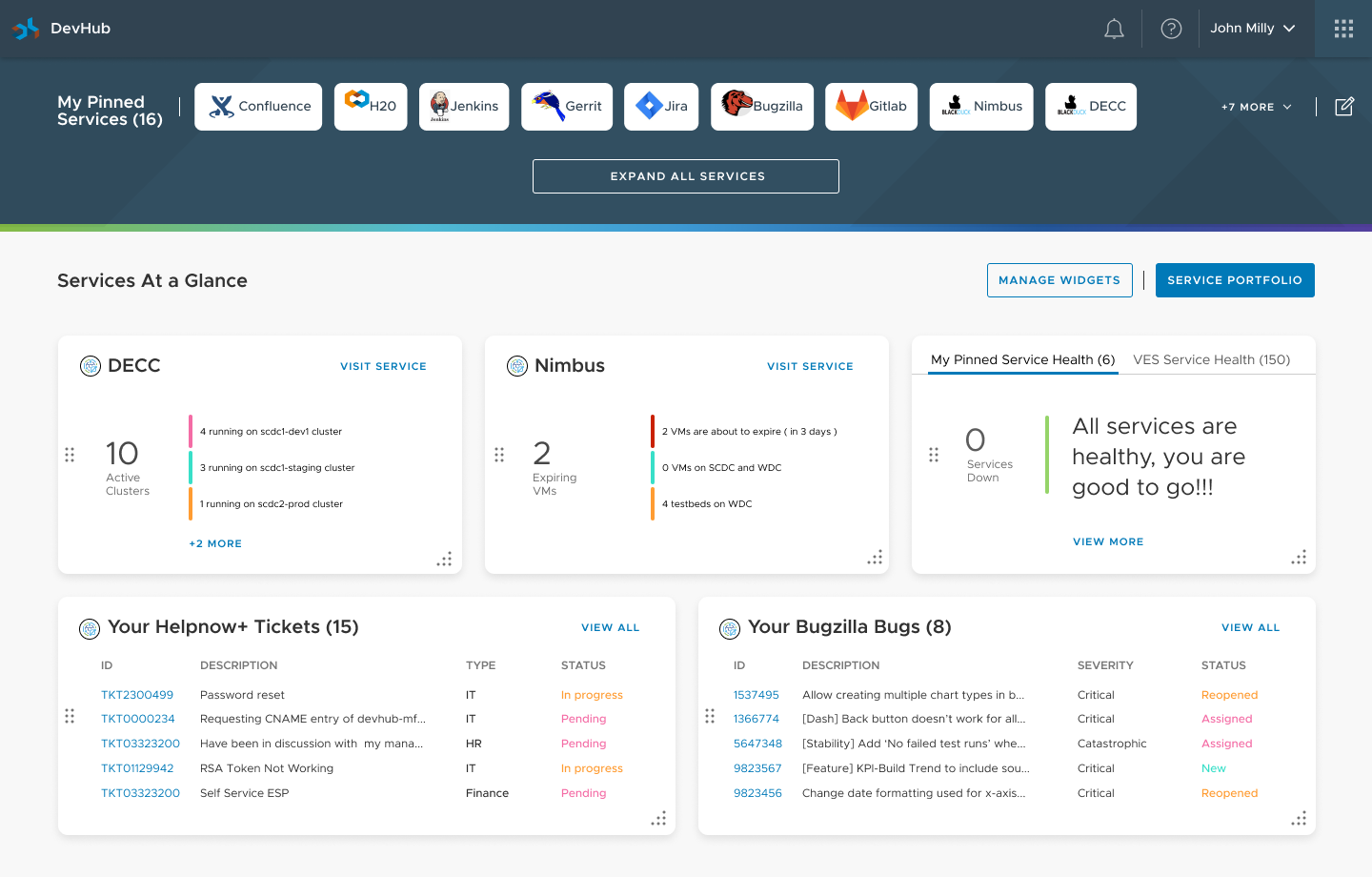
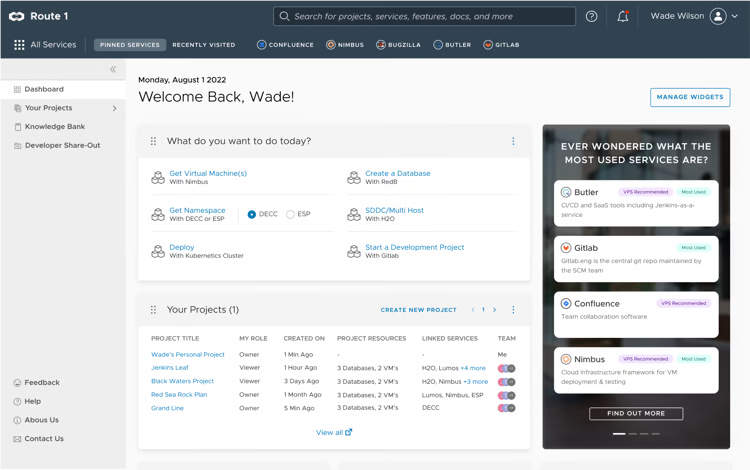
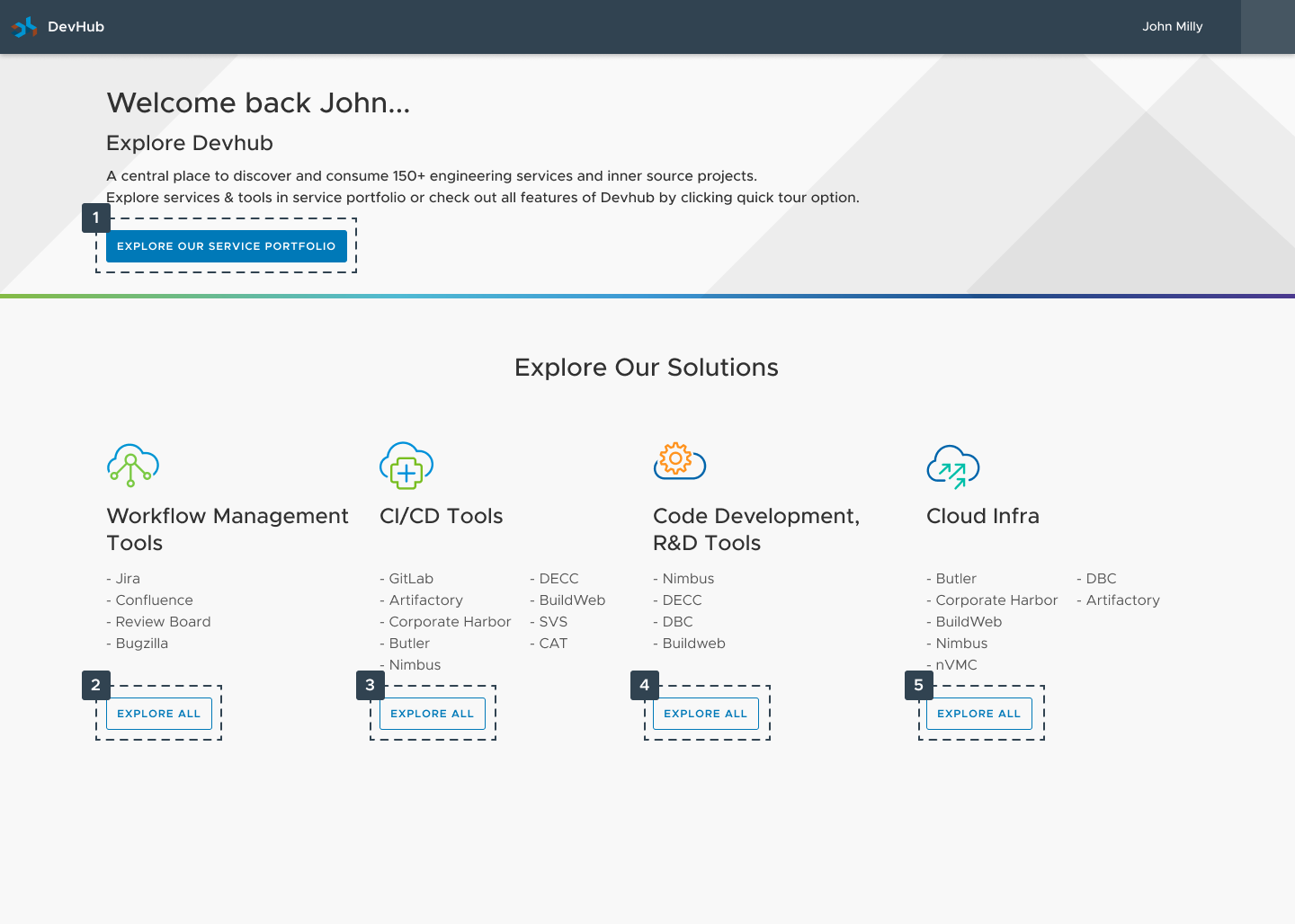
DevHub unified command center dashboard interface
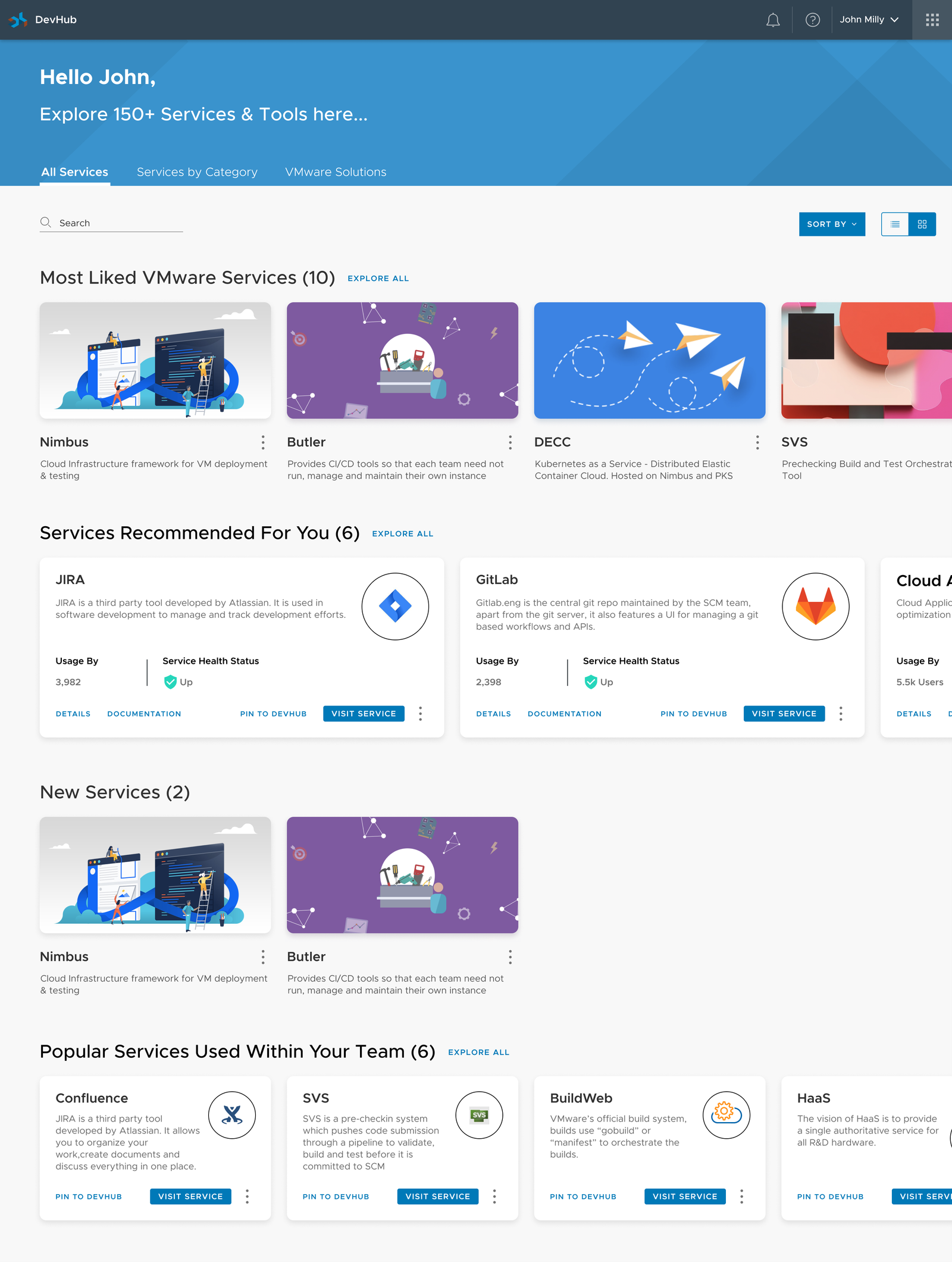
DevHub home: role-based tools, recent commits, CI status, and quick actions in one view.
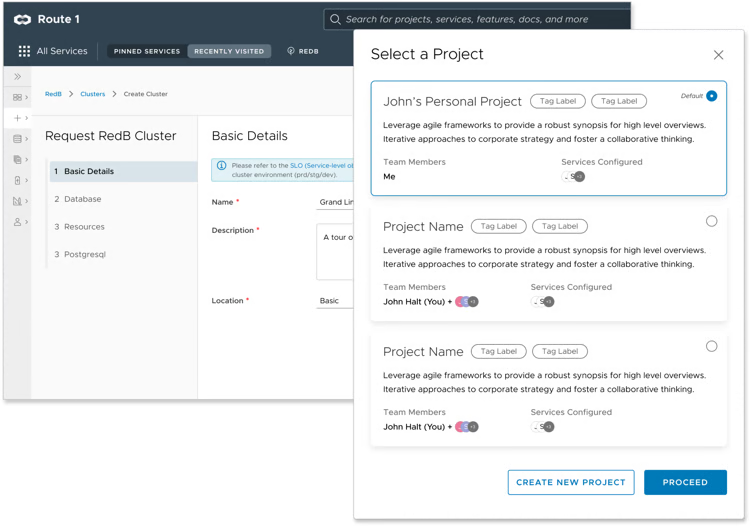
1-Click quick actions menu interface
Quick actions: common tasks without leaving the page.
Smart onboarding toolchain interface
Onboarding: a guided checklist instead of an 80-page manual.
Role-based recommendations and pinned resources
Recommendations: tools suggested based on your projects.
Modular widget component library
Widget system: other teams could build their own widgets.
system

A service catalog to stop rebuilding

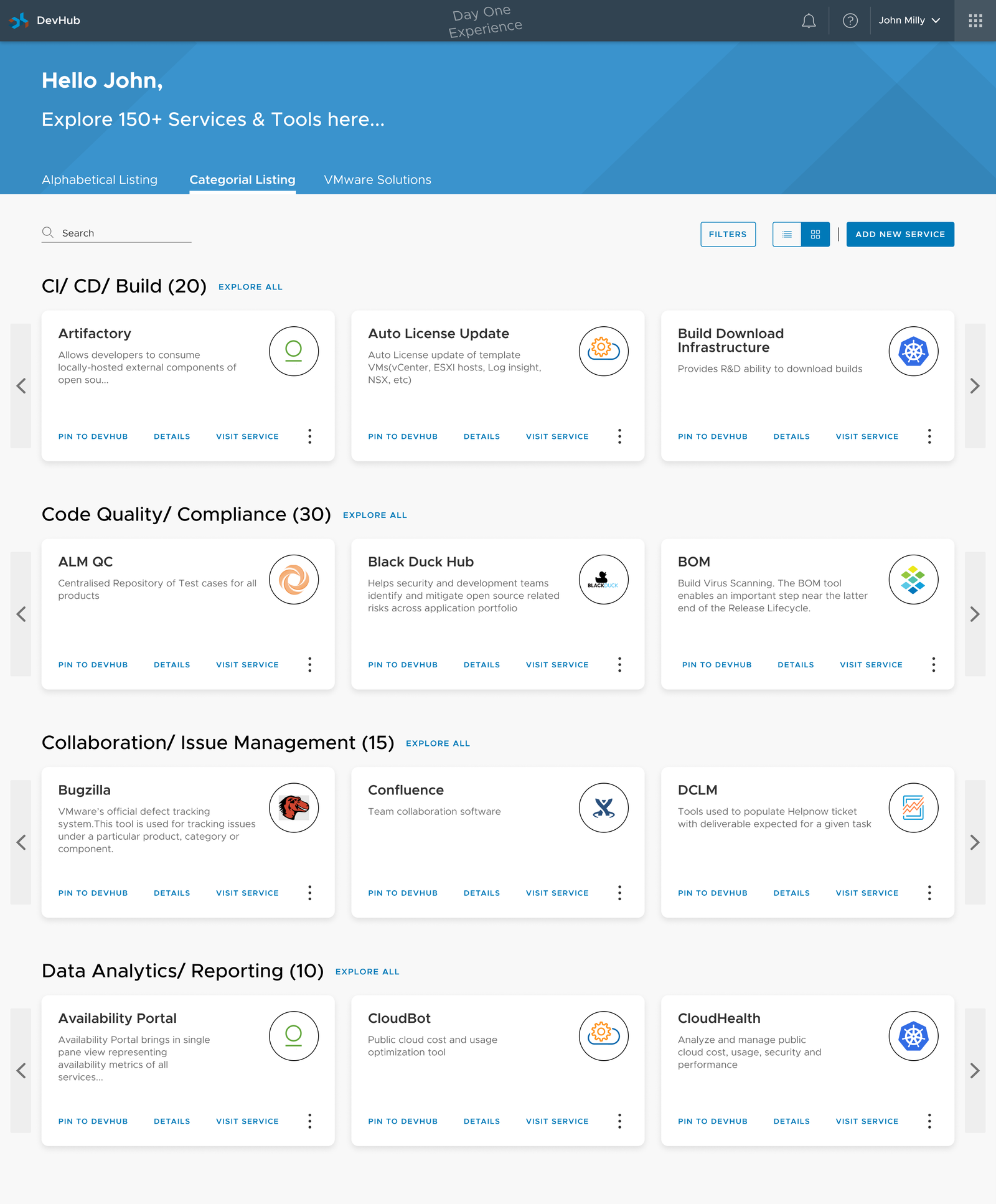
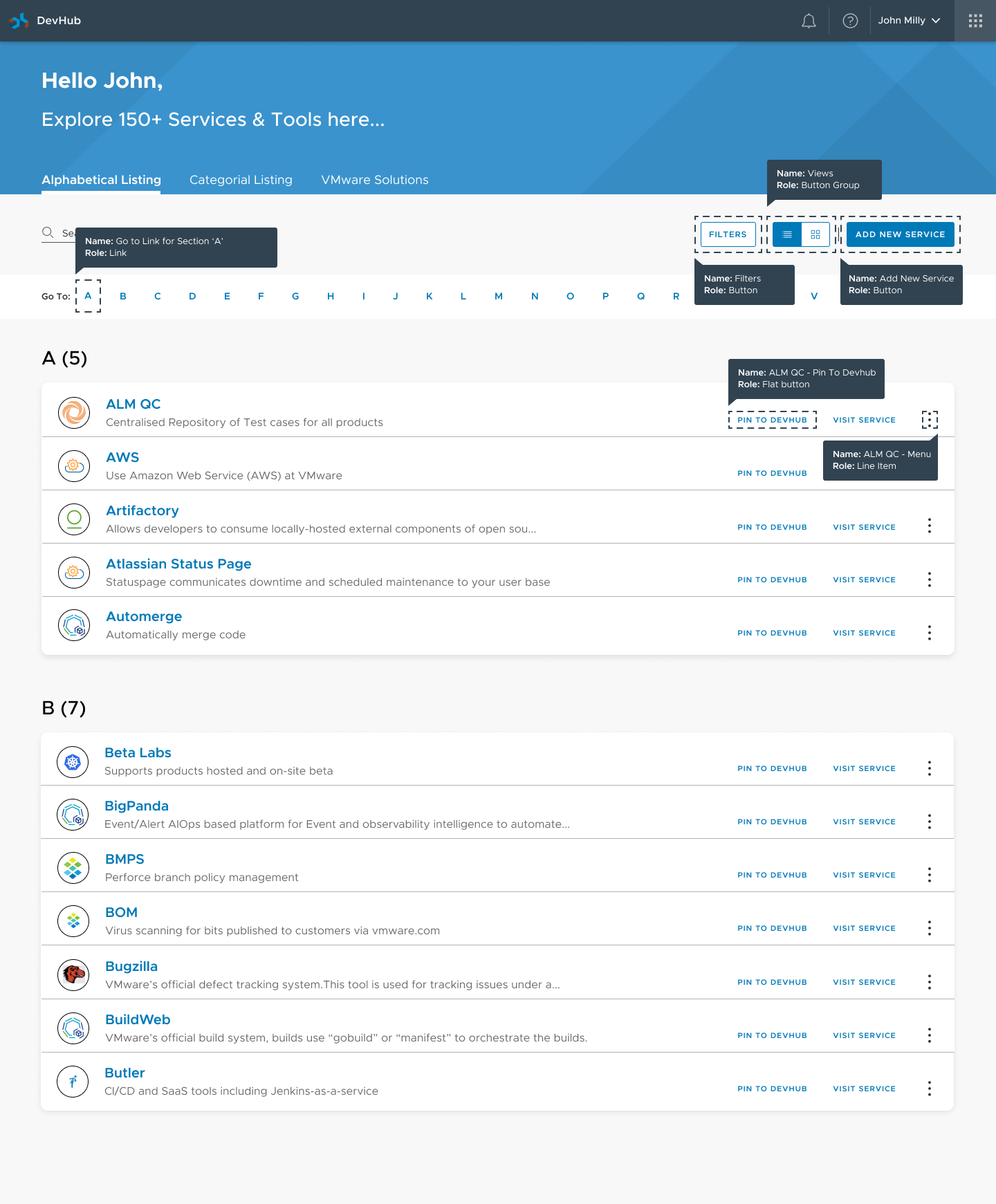
To cut down duplicate services, DevHub added a Service Portfolio. Teams registered their internal APIs, libraries, and microservices with health, an owner, and docs.

Now, before building something new, engineers could check whether it already existed and reuse it.

Service portfolio home catalog
01. Catalog — Search internal services by status.
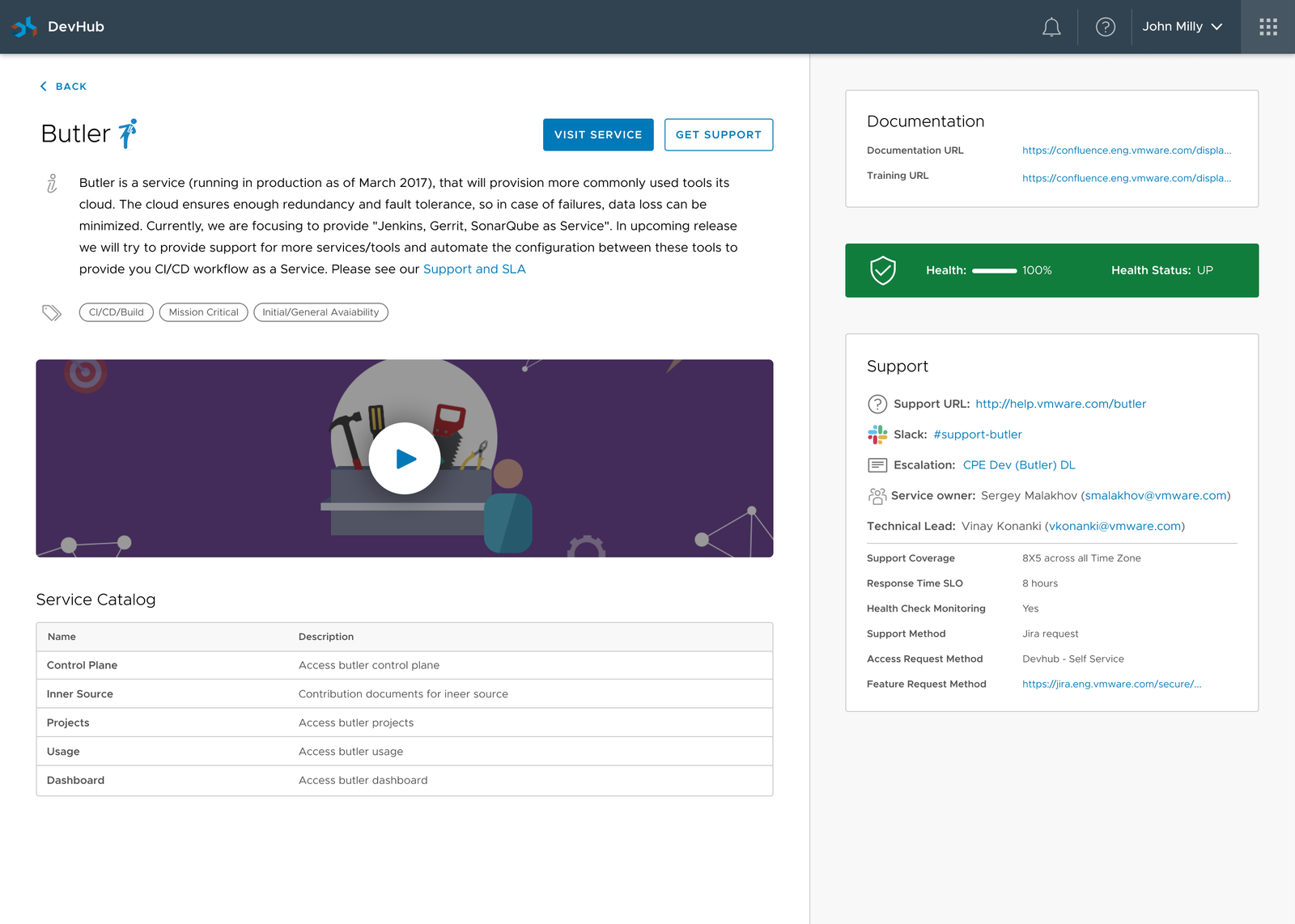
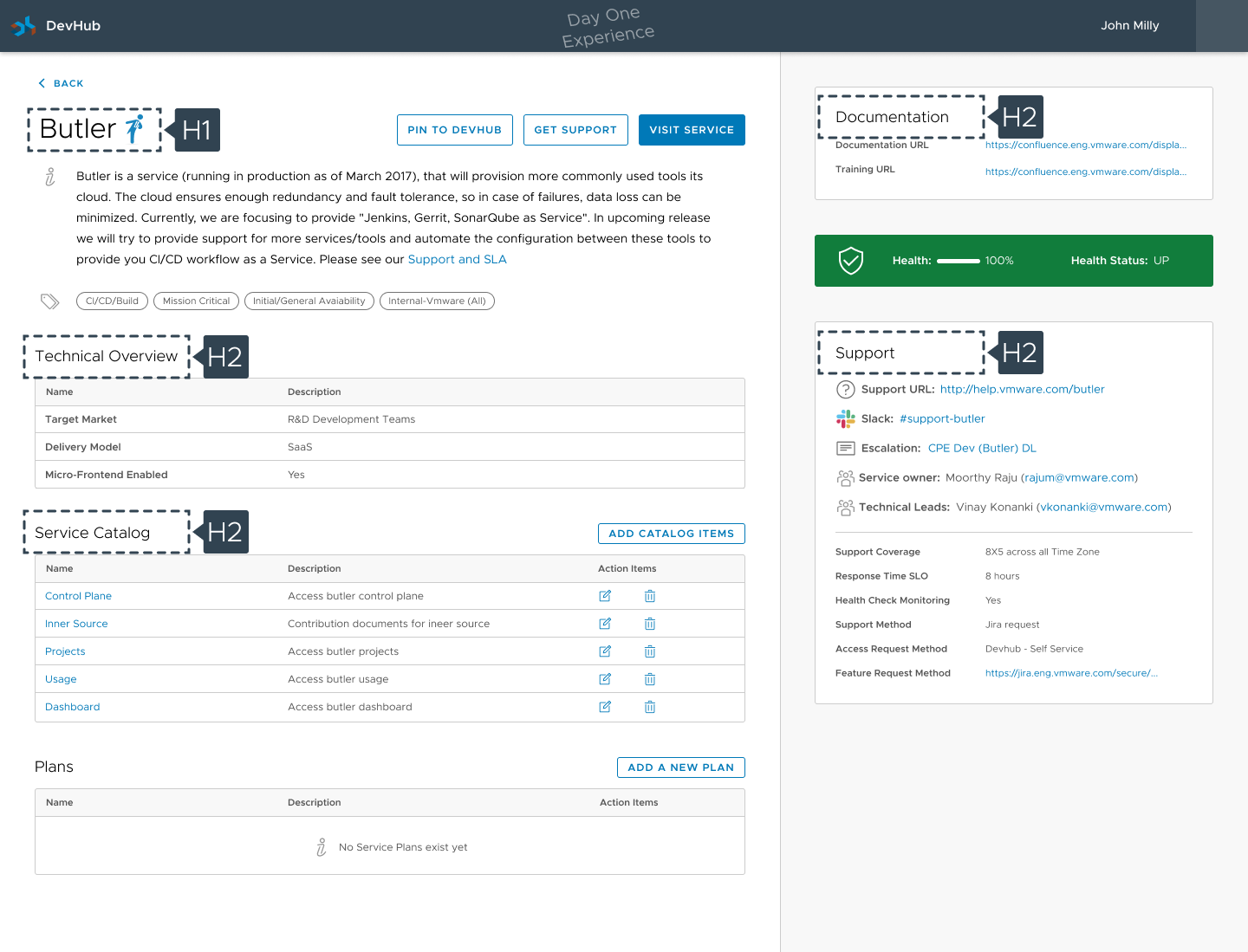
Service detail page showing health, documentation, and dependencies
02. Service Detail — Health, endpoints, and who owns it.
Service configuration and integration details
03. Integration — Code snippets and client libraries.
One catalog for the whole org, instead of services hidden in team repos.
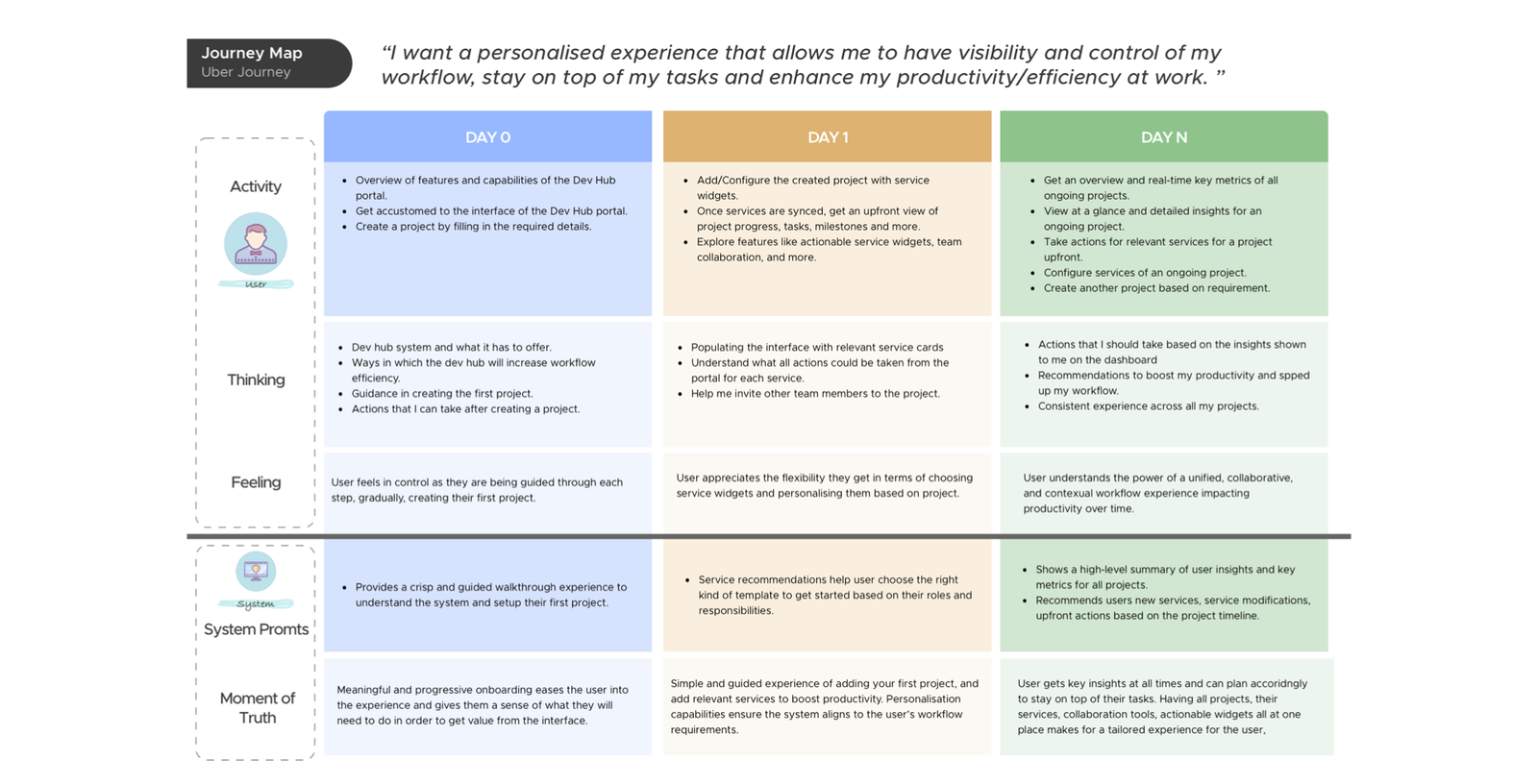
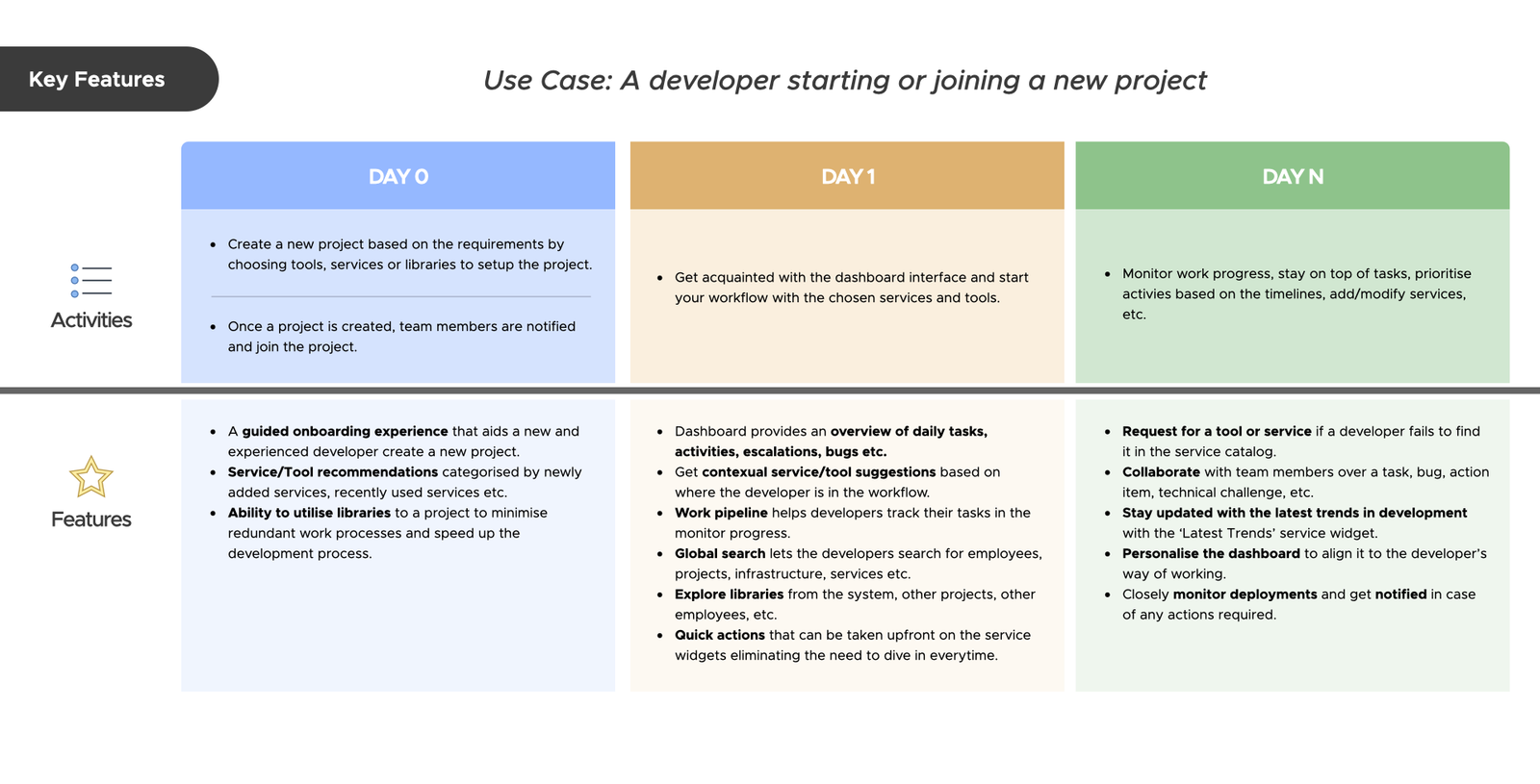
Proposed developer onboarding user journey
Journey 01: Day 1 to first production commit.
Proposed continuous development user journey
Journey 02: A normal day of triage, builds, and reviews.
governance

Handoff and accessibility

A tool for 20,000+ engineers had to work for everyone. I wrote the accessibility specs for keyboard navigation, screen reader focus order, and heading structure.

Accessibility specifications for button components
A11y Specs 01 — Target sizes, contrast, and states.
Keyboard navigation and focus order specification
A11y Specs 02 — Tab order for keyboard users.
Heading hierarchy and semantic landmark mapping
A11y Specs 03 — Landmarks and headings for screen readers.
WCAG 2.1 AA, built into the component library.
outcome

Results

DevHub brought 20+ tools into one role-aware place. The biggest change was onboarding: new hires got productive in days instead of weeks.

ONBOARDING

80% Faster

Reduced from 3 weeks to under 5 days for new hires.

ENGAGEMENT

+40% Lift

More internal tool usage within 3 months.

TURNAROUND

15% Faster

Faster project release cycles across teams.

EFFICIENCY

-25% Dupes

Fewer duplicated services.

"Having all my tools in one place makes my workday so much simpler. It's like having a personal assistant for engineering."

— MTS III Engineer, VMware

"DevHub isn't just a portal. It's how I start my day and how our new hires get productive in days instead of weeks."

— Staff Software Architect, Core Engineering